Purchases & Payables Setup Enhancement
Purpose
Dynamics Generic Reports extends the standard Purchases & Payables Setup page by introducing additional document branding capabilities for purchasing documents.
This enhancement allows organizations to define how the company logo is displayed on supported purchasing documents.
Logo Position Configuration
A new field, Logo Position on Documents, has been added to the Purchases & Payables Setup page.
Supported values include:
- Left
- Center
- Right
The selected value is automatically applied to supported purchasing documents generated by Dynamics Generic Reports.
Business Benefits
This enhancement allows organizations to:
- Maintain a consistent corporate identity.
- Improve the professional appearance of purchasing documents.
- Align document layouts with internal branding standards.
- Simplify document branding configuration without report customization.
Supported Purchasing Documents
The configured logo position is applied to supported purchasing documents, including:
- Purchase Quote
- Purchase Order
- Blanket Purchase Order
- Purchase Invoice
- Purchase Receipt
- Purchase Credit Memo
- Purchase Return Order
- Purchase Return Shipment
Example
| Setting | Result |
|---|---|
| Left | Logo displayed on the left side of the document header |
| Center | Logo displayed at the center of the document header |
| Right | Logo displayed on the right side of the document header |
Screenshot
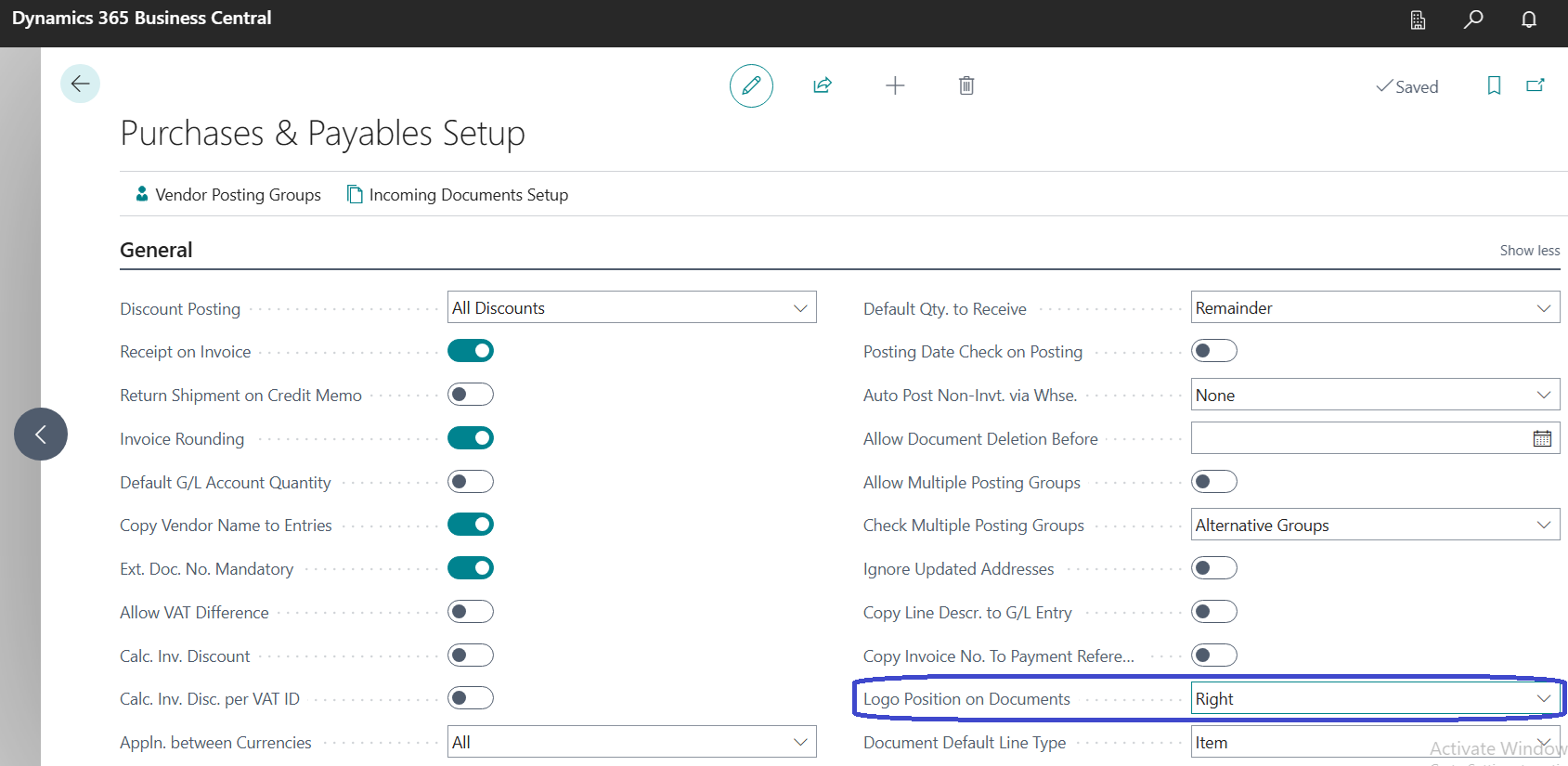
Purchases & Payables Setup page showing the Logo Position on Documents configuration field.